

Think
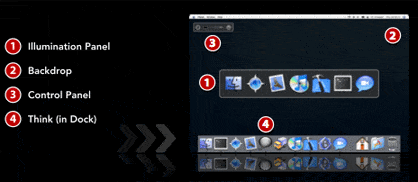
Think is a cool little app for OS X that tries to eliminate visual distractions from your computer screen while you work. From the Think website:
Focusing takes concentration, and concentration takes energy. You can only concentrate on so much at a time, and you can’t create more energy. What we need to do is change how we work.
Let’s limit our attention to one application–any application–at any time. Let’s make it easy to change focus when we have to. Let’s allow ourselves to bring other apps up quickly if we need them, but put them out of sight again just as quickly.
And Think tries to do just that. Basically, you fire up the program, and it allows you to pick an application to work on from a menu. Then while you’re working busily away, the backdrop hides all other applications. Think manages to do this while looking elegant and clean. Very nice.
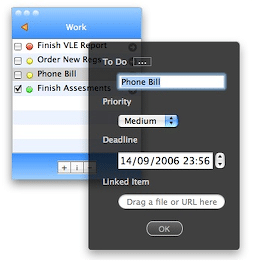
DoIt
DoIt is a simple todo list manager, except with a twist. Traditional todo’s are usually just lists of text items that need to be done. With DoIt, you can have a file, url, or just about anything you can link to as a todo.
Do It is a small application to manage categorized to do lists. Each to do item can be linked with a file on your computer, a URL, such as the address of a website, or a contact from your address book. The linked item can be opened directly from the Do It window. To do items can also include notes, priorities and deadlines, which can be set as reminders in iCal.
This is pretty cool, because it adds a more contextual feel for todos. It’s a small little guy and is unobtrusive, and integrates with Mac Workflow and Quicksilver to boot.